 Blogging from your desktop is significantly easier if you manage multiple blogs, write for others, or want to compose your posts locally. A desktop app can offer added security, reliability and organization of your entire body of work, which is a necessity if you are a prolific writer or love to collect snippets and articles from around the web. This list offers a look at some of the best free tools for blog writing and management in Windows based on usability and features.
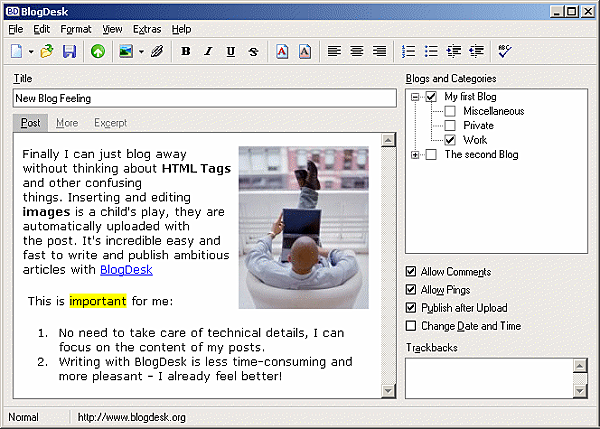
This lightweight app publishes instantly to WordPress, Drupal, Movable Type, ExpressionEngine, and a few more, with support for multiple languages, templates and phrase snippets. If you use WordPress, you can configure BlogDesk with your categories and custom fields to cut down on rework. The text editor is quite simple, and lacks advanced features like headings or an HTML view, but it does offer a "More" and "Excerpt" tab. The best feature is probably the image editor, which is a unique feature compared to other offerings here. BlogDesk is a great solution for WordPress users who don't need a lot of extra bloat, but if you're looking for something that allows access to individual post files, keep reading.
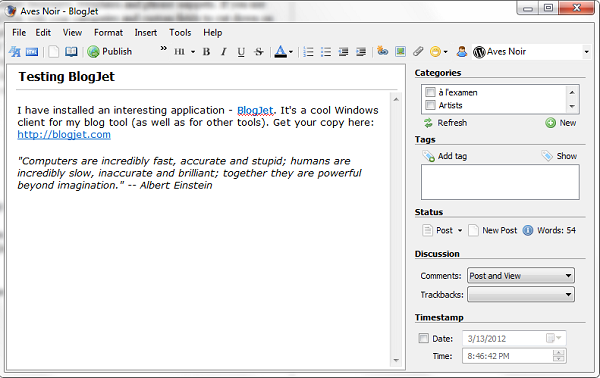
BlogJet can do everything it's predecessors can do, and more. It comes with a full rich-text editor, HTML source viewer, drag-and-drop image support, a word counter, and advanced management for statuses, comments and dates. Best of all, this app lets you export your posts to HTML or text, making it a perfect solution for freelance writers. BlogJet is offered in a free and premium version for just $39.
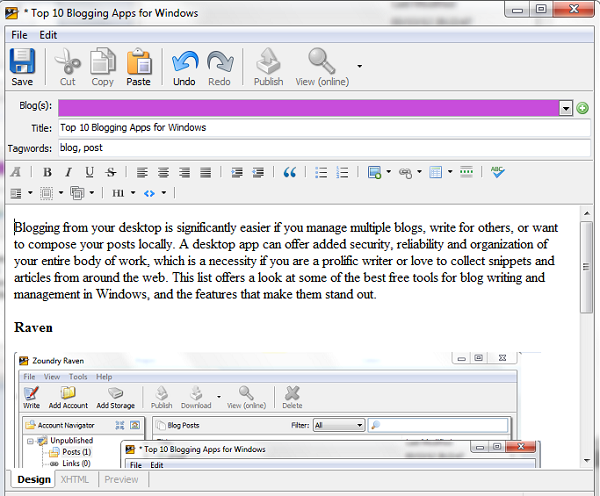
This Open Source application from Zoundry can be installed as a portable app, which is fantastic if you move between locations often but want the features of a desktop app and local database. It supports over 24 popular blogging platforms for one-click publishing, or you can work without one. The setup is reminiscent of Evernote, providing a neat tree-style navigation for posts, images, tags and links. It supports localization, affiliate links and automatic pinging, and will connect to cloud storage or image hosting services to make synching media a breeze. The text editor has everything you need, and also supports drag-and-drop from your computer or the web. Sadly, it won't let you save your posts to an individual file type such as HTML, the only major downside.

Qumana is one of the more popular or well-known apps with both a Windows and Mac version. It has robust support for ads, video and HTML, with drag-and-drop support for images, too. Like BlogJet, Qumana pulls in your categories and gives you control over comments and dates, but sadly forgot to add a Tag field. It makes up for it a little by pulling in your existing posts and allowing you to save as HTML or text.
Quamana is also available for Mac OSX and Linux.

Not the most unique app on the list, but certainly one of the most reliable, Windows Live Writer is part of the Windows Live software suite bundles with Windows 7, or available for free download for XP and Vista. It supports popular blogging platforms such as WordPress and Blogger, and offers a decent selection of plugins for added functionality, including image management, slideshows and styles. You can even configure it to download your blog template, so you can preview how your posts will look as you write them. The 2011 text editor is a little on the light side and doesn't offer the robust options you may be used to with the WordPress editor, making this a better solution for offline blogging, but integration with Bing and Outlook may be a huge plus for those who use other Microsoft services. Windows Live Writer 2012 will introduce several improvements and social media integration, making it one to watch.
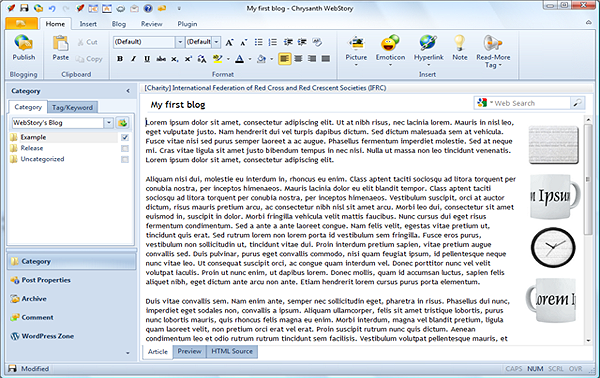
WebStory is a complete solution with a modern interface that supports connections to most popular platforms and export to text or HTML. It has everything you could ask for, including support for image management with services such as flickr and Picasa, and import of local files. The best part? It has complete integration with Twitter and Facebook for easy microblog management and full article syndication. You can even view your activity lists directly from the app. Additional functionality is available under the plugin tab, such as image effects, FTP upload and pings. WebStory is free to use, and can be extended using their credit system, but for most bloggers the Casual account is more than enough.
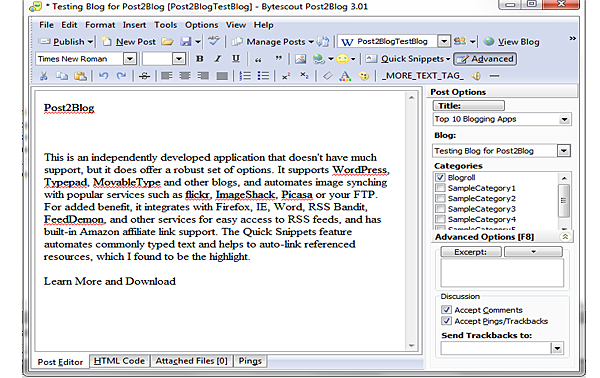
This is an independently developed application that doesn't have much support, but it does offer a robust set of options. It is very similar to BlogJet with the additional benefit of text, HTML or PDF export, and an integrated Thesaurus. It integrates with Firefox, IE, Word, RSS Bandit, FeedDemon, and other services for easy access to RSS feeds, and has built-in Amazon affiliate link support. The Quick Snippets feature automates commonly typed text and helps to auto-link referenced resources, which I found to be extremely useful. If you don't need the social network integration of WebStory, Post2Blog is surprisingly the most well-rounded app for serious bloggers that need the kind of formatting control it offers.
Conclusion
All seven apps are easy to use and will streamline your workflow. Each offers just enough features to satisfy a multi-blogger's needs, and throws in a few extras even your blogging platform may not offer. Windows Live Writer and Post2Blog are my personal recommendations for the sheer range of features and functionality, while WebStory offers the best option for socially-driven bloggers that will benefit from their network and community.Know of another exceptional solution? Let us know in the comments!
This is a guest article by Vail Joy who is a long-time writer, designer and copy editor with 15 years of experience in corporate business writing, music journalism and internet media design. When she is not hard at work designing something, she loves writing for Wix.com, the free website builder.