Get the latest updates from us for free

Sign-up for FREE weekly Newsletter.
Showing posts with label Customization. Show all posts

Convert Windows 7 Themes to Windows 8 Auto Color Themes

Be the first to comment!
Labels: ,
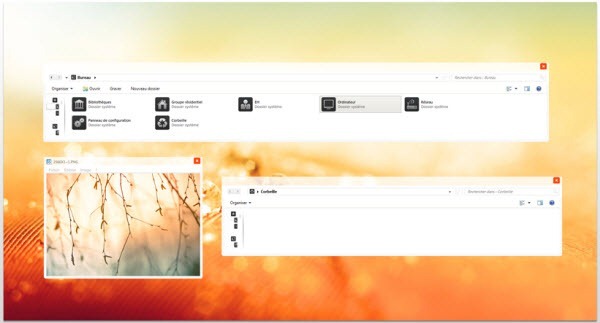
Themes designed for Windows 8 comes with an auto-color feature that smoothly and automatically shift the Windows desktop title bar and taskbar color to match the dominant color in whichever background image is currently being displayed. While it is possible to install themes made for Windows 7 on Windows 8, this auto color feature becomes unavailable when you do so.
ThemeConverter for Windows 8 is a small utility that lets you convert “normal” Windows 7 themes into Windows 8 auto-color themes by injecting the right parameters into the theme file.
Using this easy: Just go to Windows Personalization Gallery and grab some cool, awesome themes. Or check out our extensive collection of Windows 7 themes under the Customization section.
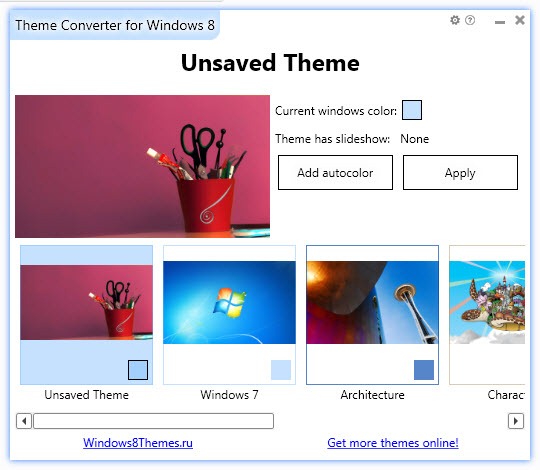
theme-converter
Install the themes like you do in Windows 7. Then run ThemeConverter for Windows 8. Pick the theme you want to auto-color and then add the auto-color setting with a single click. Now head to theme Personalization settings from the desktop and choose the auto-color option.
Auto-color is optional feature and can be turned off under Personalization options.

12+ New Windows 7 Themes

Be the first to comment!
Labels: ,

12+ New Windows 7 Themes

After a long hiatus, I’m back with yet another collection of themes for Windows 7 released during the last couple of months. All the themes have been hand picked, but not tested. Please refer to the theme author’s instruction on how to install the themes. To see previous collection of themes, visit the Customization section.

Aero+

aero

Amana2

amana2

Androidism

androidism

Bouark

bouark_vs

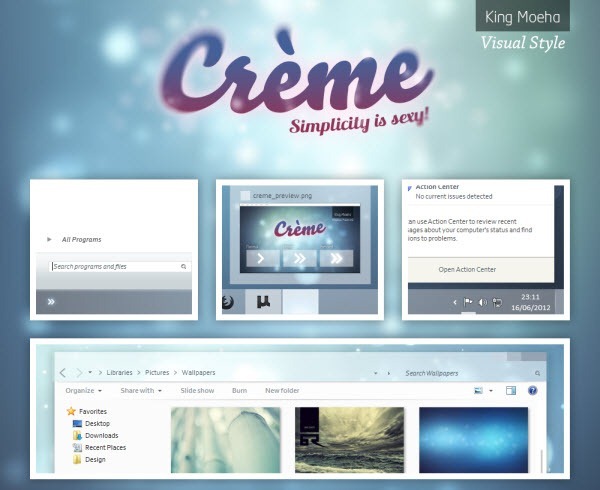
Creme

creme

Dockbar 7

dockbar_7

Luto

luto

Osituro

osituro___windows_7_vs

Romerah

romerah__beta

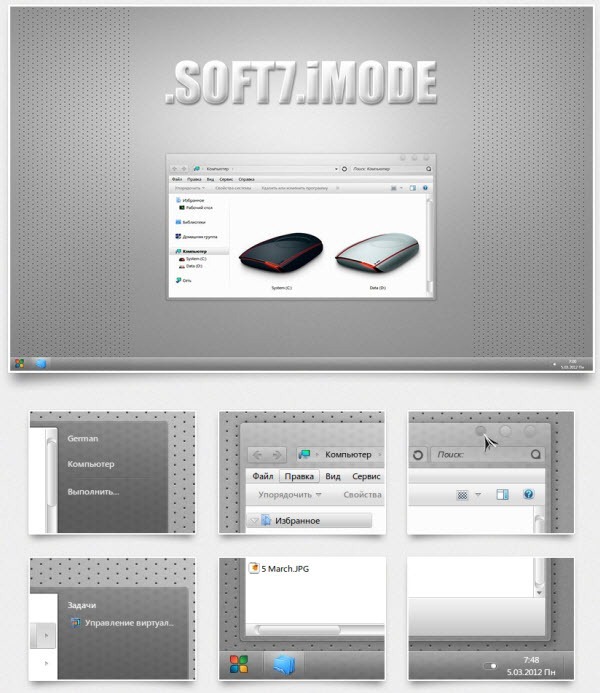
.Soft7.iMod

soft7_imod

Stylysh lite

stylysh_lite

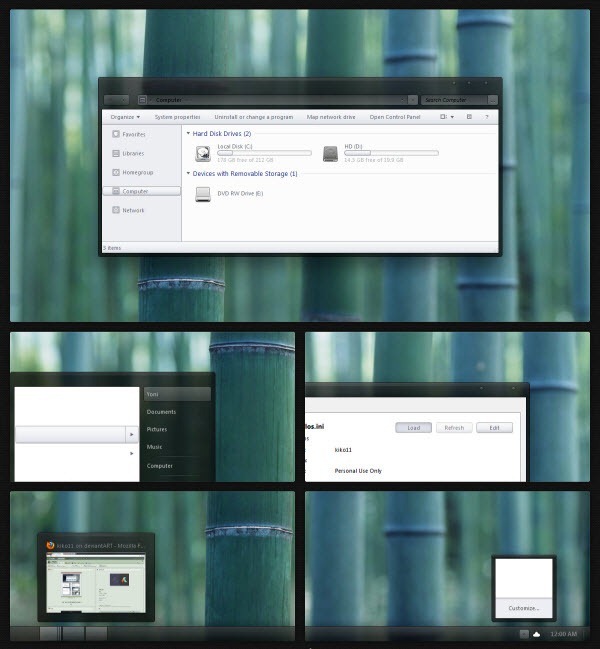
Tonic for Windows 7

tonic_for_windows_7

Better Looking Metro Styled ViStart Skins for Windows 8

Be the first to comment!
Labels: , ,

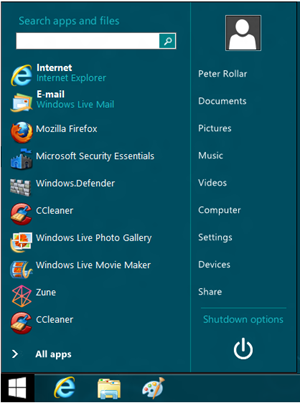
One of the ways to get the missing start menu back on Windows 8 is through the Windows start menu replacement program ViStart. Since Windows 8 has no start menu to replace, ViStart simply adds a new start menu to the taskbar. The program has been around for a long time and is a very popular Windows customization tool because it gives users the ability to switch appearance of the start menu using skins.

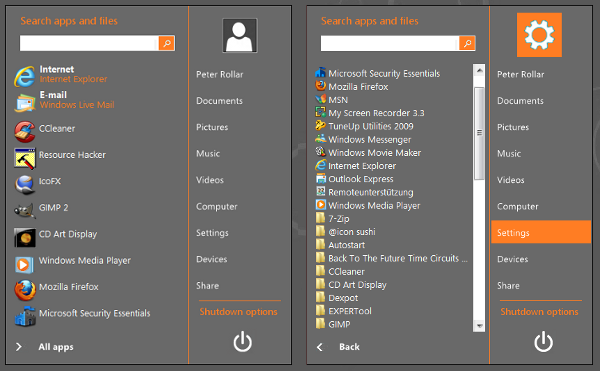
The default ViStart menu looks exactly like Windows 7’s start menu which doesn’t blend well with Windows 8’s Metro start screen. Although there is nothing Metro-ish on Windows 8 when on the desktop mode, you can change that by adding some Metro flavor to the ViStart start menu.

DeviantArt user PeterRollar has designed some incredibly beautiful Metro-styled skins for use with ViStart. Take a look at them.

vistart-metro3 vistart-metro

vistart-metro2

Download

Windows8 startmenu v1
Windows8 startmenu v2

How to Install

Download the latest version of ViStart and install. These skins don’t work with the older version of ViStart.

Open the folder where you have installed ViStart, and backup these files:

- Resources (directory)
- Rollover (directory)
- Settings.xml

Download the skin package and unzip its contents into the ViStart folder. Launch ViStart to see the new skin. To change skin simply replace these files with the new skin files. Currently, there is no GUI or a better method to switch skins. The default ViStart skin is inside the backup folder.

These skins can also be used with ViStart on Windows 7, Vista and XP.

12 Totally New and Modern Windows XP Themes

Be the first to comment!
Labels: ,

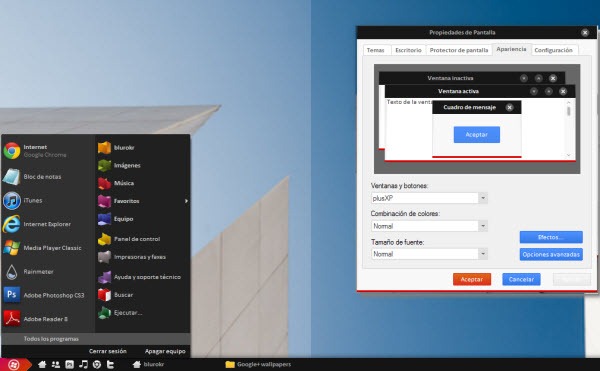
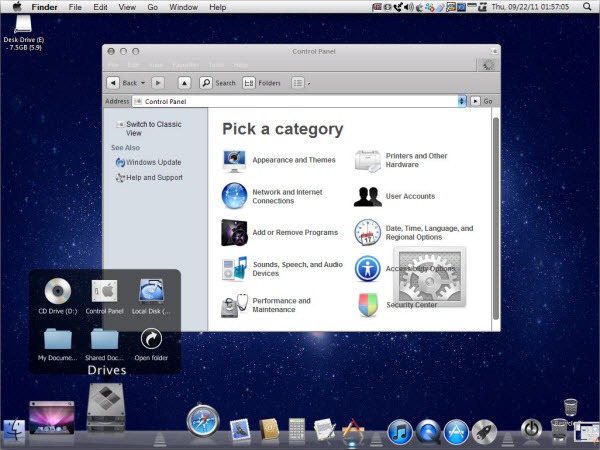
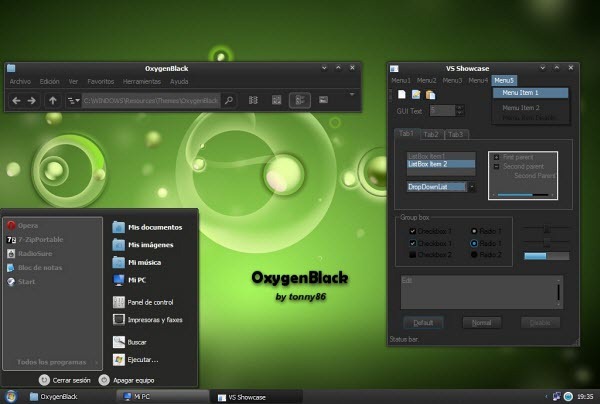
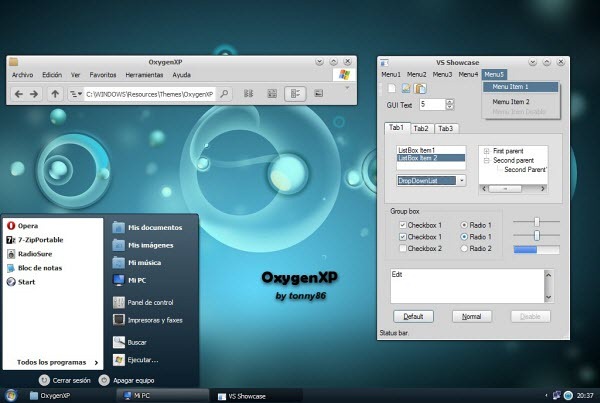
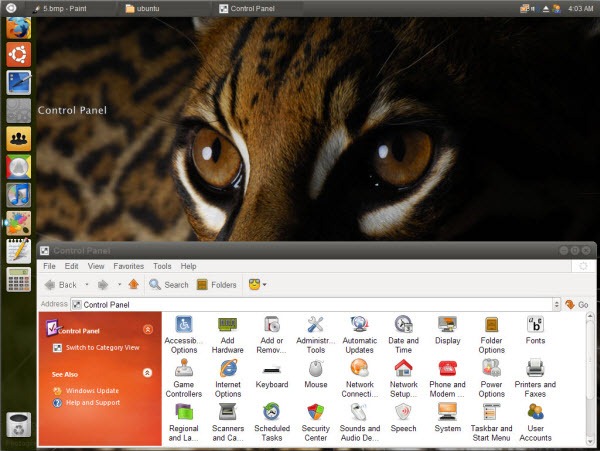
Windows_XP_FlagI know most of you have long left Windows XP, but the OS is far from dead. As of last month, Windows XP’s market share is at a healthy 30% and there are still plenty of interest around Windows XP themes. I recently paid a visit to the Windows XP section at DeviantArt, a community of designers and GUI artist where most of the themes arises from, and was pleasantly surprised to find it very active. Several decent themes have been released over the past few months. Here are 12 most attractive new themes that I could find.

8 Skin Pack 6.0-XP

8_skin_pack_6_xp

Ambiance2 for XP

ambiance2_for_xp

GizdomBlack SuperBar

GizdomBlack_SuperBar

Gnome Dark Style

gnome_dark_style

Google+ VS for WindowsXP

google-xp

Lion Skin Pack 4.0

lion_skin_pack_4_0_xp

Metro Inspirat 2.0

metro_inspirat_2

OxygenBlack VS

oxygenblack_vs

OxygenXP VS

oxygenxp_vs

Ubuntu Skin Pack 5.0

ubuntu_skin_pack_5_0_xp

Vera

vera

Windows 8 Metro GXP

windows_8_metro_gxp_for_windows_xp

Also see:

16 New Windows 7 Themes [February 2012 Edition]

Be the first to comment!
Labels: ,

This collection consist mainly of themes released/updated during the last two months since the last collection.

Previous collections: September, August, July, June and May and Windows 7 themes – Part 1, Part 2, Part 3, Part 4.

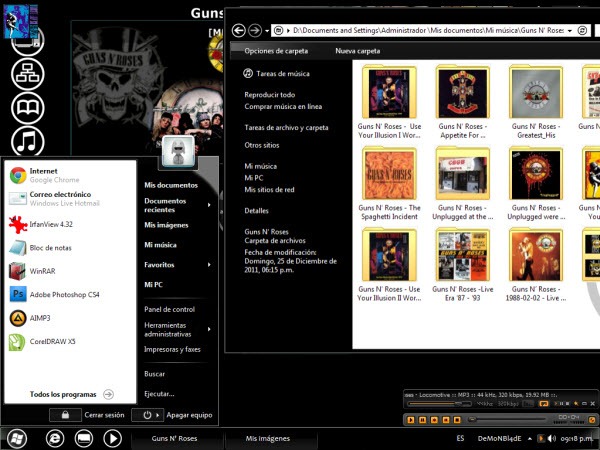
Arimo

arimo

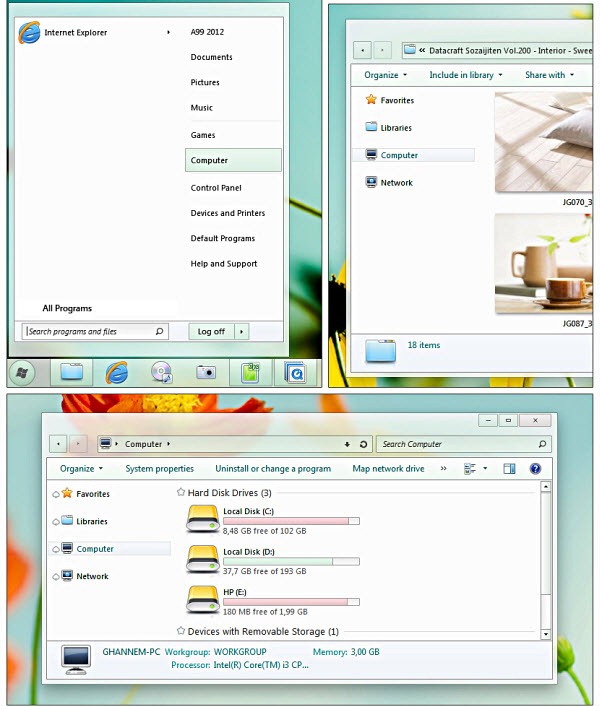
Beginnings

beginnings

Different Touch 7

different_touch_7

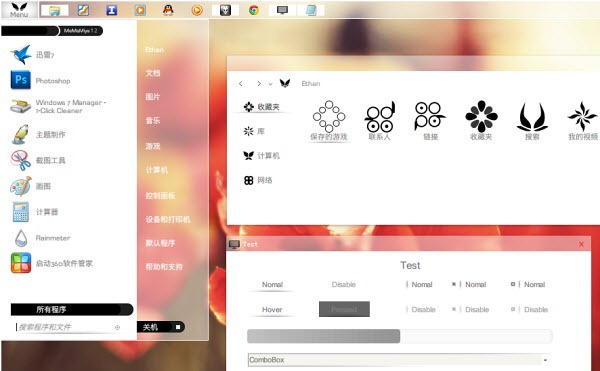
MaMaMiya Suite 12

mamamiya

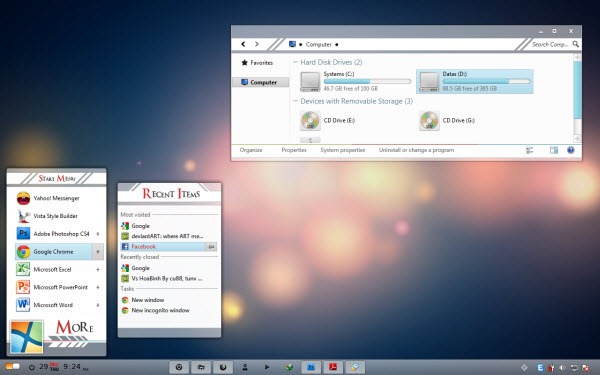
Memolotrys

memolotrys

Minimal

minimal

Next Level

next_level

Obsidian for Windows 7

obsidian

Pre Silver 1.0

pre_silver

Shiroi

shiroi

Kuroi

kuroi__shiroi__s_dark

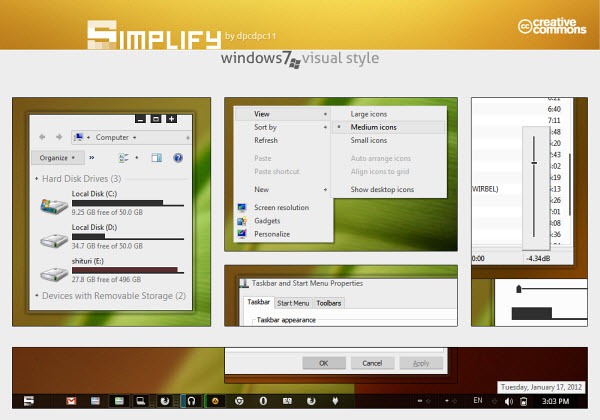
Simplify Visual Style

simplify

Simplify Skin Pack

simplify_skin_pack

Thema Luna

thema_luna

Windows 8 Start Screen Full 3.0 (For XP, Vista and 7)

windows_8_start_panel_full_3_0

Xbox Skin Pack 1.0

xbox_skin_pack_1_0


Recent comments

Recent comments

Followers

Sponsors

Recent comments

fefew

Recommend on Google

Copyright © 2011 All Rights Reserved Thesis skin. by Nitin. Converted into Blogger Template by TheTechFizz.